VERSEFILM / LYRIC VIDEOS FOR YOUTUBE
Your song, as a
lyric video.
Upload a track and a portrait. Every word is found and timed to the vocal, the look is yours, and it comes ready for YouTube — title, description and tags. Then turn the chorus into a Short of you singing it.
THE PROCESS / 01—03
From song to YouTube in one sitting.
Add your song
Upload the track. Every word is found and timed to the vocal automatically — paste the lyrics if you want your exact wording.
Choose the look
Your portrait with cinematic motion, or AI story scenes drawn from your lyrics with you cast in them. The full song, or just the chorus.
Publish
Download the video with a YouTube pack: title ideas, a description built around the exact lyrics, tags and a thumbnail.
THE ADD-ON / FOR SHORTS
Then, a Short of you singing the hook.
From a finished lyric video, one click brings the same song, portrait and lyrics into a vertical Short. Versefilm finds a solo-vocal hook, detects its emotional money line, cuts the clip to build into it and animates your portrait singing — with bold captions that hit hardest on that line. Post it as a Short that sends viewers to the full lyric video.
See the singing ShortFIRST LOOK / NOIR
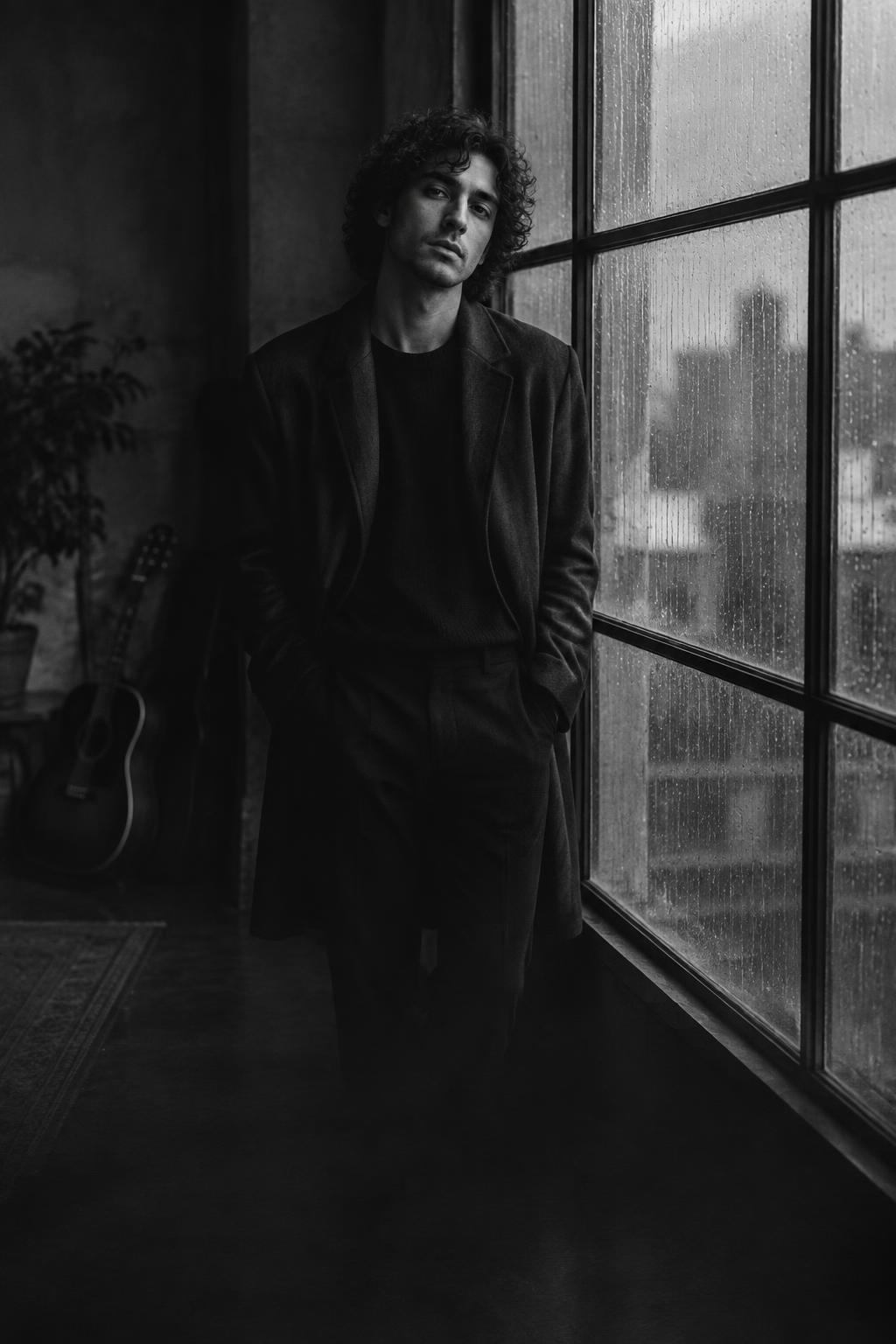
A face. A feeling. A frame.
The portrait remains the anchor. Subtle camera movement, silver light, deep shadows and film texture bring it to life without losing the artist inside it.
Explore the looksTHE LOOKBOOK
Choose your atmosphere.
The whole song, or the chorus.
Lyric videos use the full track by default. One click picks the chorus for a 15, 30 or 60-second cut that never starts or ends mid-word.
One image, many frames.
Your portrait becomes slow pans, grain and light — or the lead character in AI story scenes.
Know before you render.
See an estimate based on length, quality and movement. Every AI step shows its estimated cost before it runs.
MADE FOR THE MOMENT
Sound has a shape.
Release-day lyric videos
Shorts from the chorus
Acoustic sessions
Single teasers
Poetry and spoken word
Artist introductions
QUESTIONS
Start with a preview.
Previews and exports are made in your browser. AI steps (lyric timing, story scenes, YouTube pack) show their cost before they run.
Make a lyric videoCan I use my own music?
Yes. Upload MP3, WAV, M4A, AAC, FLAC, OGG, OPUS or AIFF audio up to 100 MB — music you own or have permission to use. Lyrics are found and timed automatically.
Can I make a vertical video?
Yes. Choose 9:16 for Shorts and Reels, 1:1 square, or 16:9 landscape.
Does this generate new footage?
Two options. An image lyric video animates your portrait with cinematic camera movement, light and grain. A story video creates AI scenes from your lyrics and, if you choose, casts the artist from your portrait.
Can I publish to YouTube?
Yes. Each finished video comes with a YouTube pack — title ideas, a description with the lyrics, tags and a thumbnail — ready to paste into YouTube Studio.
What is the singing Short?
An add-on for Shorts and Reels: a 10–18 second vertical clip of your portrait singing the hook, lip-synced by AI, with bold captions. Start it from a finished lyric video and the song, portrait and lyrics come with it.
THE NEXT FRAME IS YOURS